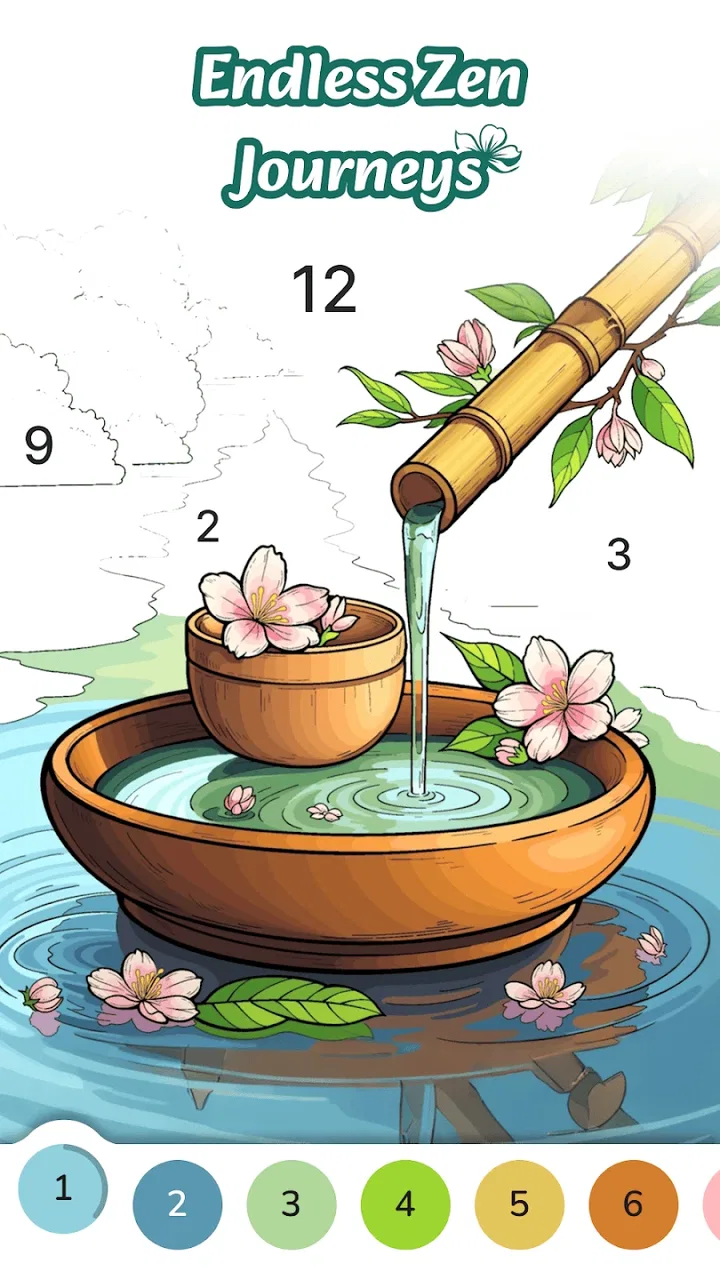
Color Flow - Color by Number
- 4.6
- Rating
- 500.00K
- Installs
- Free
- Price

 Analysis by App-foxy
I opened Color Flow - Color by Number expecting a simple coloring pastime, and that is exactly where its appeal lies. This is a free board game from Coloring Game Studio@RabiGame that turns numbered coloring into a quiet, low-pressure activity. The basic idea is easy to understand: choose an image, match colors to numbered areas, and gradually watch a blank design become complete. I found it more suitable for short breaks and relaxed concentration than for competitive gaming.
That distinction matters. Color Flow is not trying to replace a strategy board game, a puzzle with complex rules, or a fast arcade title. Its main goal is to create a steady mental rhythm. The store summary describes it as an experience aimed at mental flow and stress-free play, and after spending time with it, I think that description is more useful than calling it merely a coloring app. The satisfaction comes from the repeated small decisions and the visible progress toward a finished picture.
How the early goals make the game easy to enter
The first few coloring tasks are approachable because the objective is immediately visible. I do not have to learn a long tutorial, memorize special rules, or understand a complicated scoring system before starting. The numbered areas tell me what kind of action is expected, so the attention goes toward finding matching spaces rather than decoding the game.
You May Also Like

 Blood Strike: 2.5 Anniversary
Blood Strike’s Loadouts Turn Every Drop Into a Tactical Gamble
A close look at Blood Strike’s custom loadouts: how fast access to signature weapons reshapes its battle royale rhythm, rewards preparation, and narrows the gap between fights.

 Pandora - Music & Podcasts
Pandora’s Music Is Easy to Start, but Harder to Recover
Pandora’s strength is its low-effort path from a seed to a station. Its weak spot is how much confidence it asks you to place in connection, setup, and quiet recovery.

 8 Ball Pool
 Is Built on Rivalries, Rematches, and Routine
A close look at the rivalries, rematches, shared routines, and unanswered safety questions that turn a quick pool match into a persistent mobile community.

 Samsung Music
’s Quiet Strength Is Playing What You Already Own
Its reach comes less from spectacle than from dependable access to a personal library. That simplicity is both the app’s strongest retention engine and its ceiling.

 AccuWeather: Weather Radar
AccuWeather Review: A Quick, Clear Forecast for Everyday Decisions
For everyday plans, the best forecast is the one you can understand quickly. AccuWeather makes rain timing, radar, and local conditions easy to act on, with a few trade-offs.

 Hill Climb Racing
Why Hill Climb Racing Still Turns Crashes Into One More Run
A tiny car, a bumpy hill and one more upgrade: Hill Climb Racing keeps resurfacing because its simple chaos makes every near-miss feel personal.
More From Our News Desk



That simplicity is a genuine strength for people who want something calming after work, during a commute, or before bed. It also makes the game suitable for family use under its Everyone content rating. A child can understand the central interaction quickly, while an adult can use the same activity as a way to slow down for a few minutes.
The early goal is not simply “finish a picture.” It is to establish a comfortable loop: select a color, scan the artwork, fill the corresponding sections, and notice the image becoming clearer. I liked that this creates a series of tiny completions instead of asking me to commit to one large challenge. When I only had a short amount of time, I could still make visible progress.
There is also a useful psychological difference between this format and an ordinary digital coloring canvas. Freehand coloring can be expressive, but it may leave me wondering what to do next or whether the result looks good. Color by number removes much of that uncertainty. It gives me a defined path, which is helpful when I want relaxation rather than creative pressure.
On the other hand, players looking for artistic control may find the opening too guided. The numbered structure is the point of the game, but it also limits experimentation. I would recommend it to someone who enjoys completing patterns more than someone who wants to draw, mix colors, or design original artwork.
Why the first sessions feel more like a routine than a challenge
My strongest early impression was the lack of friction between opening the game and beginning an activity. That makes it easy to build a personal routine around it. For example, I can use a completed image as a stopping point rather than setting an arbitrary timer. The finished picture gives the session a natural ending, which is more satisfying than closing a game in the middle of an unfinished round.
For a busy day, I would use Color Flow while waiting for an appointment or taking a short screen break. I would not expect a dramatic burst of excitement. Instead, I would expect a predictable sequence of small tasks that keeps my hands occupied and my attention away from more demanding thoughts.
A practical tip is to treat each color as a mini-goal rather than trying to finish the whole image at once. This makes the activity feel manageable, especially when an illustration contains many small sections. It also helps prevent the common frustration of repeatedly searching through the entire picture without a clear plan.
Progress signals, unlocks, and the feeling of moving forward
Coloring games depend heavily on visible progress. Every filled section changes the image, so the artwork itself acts as the main progress indicator. I can see which areas are complete, which colors remain, and how close the design is to being finished. That visual feedback is more important here than a complicated points system would be.
The appeal comes from watching disorder become structure. At the beginning, a picture may look like a collection of separate numbered spaces. As I work through it, the subject becomes easier to recognize. This gradual reveal gives the game its momentum, even when the individual actions are repetitive.
Unlocks and continued play are most convincing when they support that sense of discovery rather than interrupting it. In this kind of game, I want the next image or coloring opportunity to feel like a reason to continue, not like a demand to keep playing. Color Flow works best when I approach progression as a collection of relaxing projects instead of a race toward a final reward.
I also think the game benefits from letting the finished artwork serve two purposes. It is both the reward for completing the task and the evidence that the time spent produced something tangible. That is a stronger progress signal than a number increasing on a screen, particularly for players who do not care about leaderboards or competition.
Still, this approach has a limit. If you need deep progression with character development, strategic upgrades, or a campaign built around changing rules, this will feel lightweight. The motivation depends on whether you enjoy completing pictures. Once that satisfaction fades, there may not be enough variety in the basic action to hold your attention for long sessions.
How to use the progress loop without turning relaxation into a chore
I found it better not to treat every available image as an obligation. Choosing one illustration based on mood is more pleasant than trying to clear a queue. A detailed design can provide a longer, more absorbing session, while a simpler one may be better when I want a quick reset.
Another useful habit is to stop after a meaningful visual milestone, such as completing a recognizable part of the image. That keeps the game associated with calm rather than with the feeling that I must finish everything immediately. The loop is strongest when I control the pace.
The game’s free price makes experimenting easy. I can try the central coloring experience without paying upfront, then decide whether the available content and the way progression works justify spending anything. There are in-app purchases ranging from $4.99 to $99.99 per item, so I would advise checking the purchase screen carefully and keeping the game’s optional spending separate from the relaxing activity itself.
Difficulty curve: where attention helps and where patience is tested
Color Flow’s difficulty is less about difficult rules and more about visual attention. Filling a large, obvious section is effortless. Finding a tiny area hidden among similar shapes requires more concentration. That creates a gentle curve: the game can remain accessible while still asking me to look carefully when an image becomes more detailed.
This is a good fit for players who enjoy spotting small details without feeling punished for mistakes. It is not the same kind of difficulty as solving a logic board puzzle, where one wrong move can ruin a solution. Here, the challenge is persistence and careful scanning. I can work slowly, pause, and return to the image without losing the relaxing character of the activity.
The trade-off is that the challenge may eventually feel narrow. Because the central action remains coloring numbered sections, the difficulty does not necessarily transform the way I think. It mainly changes how much attention the artwork demands. That is enough for a calming game, but not enough for someone who wants increasingly complex strategy.
I would compare it with traditional coloring books in a specific way. A paper coloring book gives me more freedom but also requires my own color decisions and supplies. Color Flow gives me direction, instant cleanup, and a clear completion path. Compared with a conventional digital drawing app, it is less creative but much easier to use when I do not want to make design choices.
Compared with a standard board game on a phone, the difference is even clearer. Board games usually ask me to compete, plan several moves ahead, or react to another player. This game asks me to focus inward. If I want social tension or strategic replayability, a chess, card, or tile-based board game would be a better choice. If I want quiet concentration without a winner or loser, Color Flow is more appropriate.
Small techniques that make detailed pictures less tiring
When an image becomes busy, I would avoid jumping randomly between colors. I prefer to choose one visible number and scan in a consistent direction, moving from one side of the artwork to the other. This reduces the mental effort of repeatedly searching the same areas and makes the remaining spaces easier to identify.
Zooming or precise tapping, where available in the coloring experience, should be used as a comfort tool rather than as a sign that the game is becoming frustrating. Small sections are easier when I slow down and focus on one cluster at a time. I also find that alternating between a detailed picture and a simpler one keeps the activity from feeling like a visual chore.
People with visual fatigue should be especially aware of session length. The game is relaxing in concept, but staring closely at small numbered areas can still be tiring. Short sessions, lower screen brightness, and regular breaks make more sense than forcing completion in one sitting.
Retention pressure and the question of how long it stays engaging
The strongest reason to return is the same reason the game is easy to start: it offers a reliable, low-stakes activity. I can come back when I want a few quiet minutes, complete part of an image, and leave without worrying about losing a competitive match. That makes the retention loop gentler than the daily-pressure design common in many mobile games.
However, gentle retention is not the same as unlimited replay value. If I need constant novelty, changing mechanics, or a strong narrative, the coloring loop may eventually feel repetitive. The game’s pacing works when I want consistency. It works less well when I am actively searching for surprise.
I would also be careful with the difference between relaxing engagement and commercial pressure. Since the game is free but offers in-app purchases, I would make sure that optional purchases do not become the reason I continue. The healthiest way to use it is to judge each session by how enjoyable the coloring feels, not by how quickly I can access every possible item.
Its broad accessibility is supported by the Everyone age rating and the modest Android requirement of version 6.0 or later. That means the game is not limited to people with the newest phone, which is useful for families sharing older devices or for anyone who keeps a secondary phone for casual games. The current version is 1.9.28, so I would install the latest available release rather than rely on an outdated copy.
The game has clearly found an audience: it has passed 500 thousand installs, with an average rating of 4.6 from around 3.6 thousand ratings and 665 reviews. I read those figures as a sign that the core idea is landing with many players, though popularity alone does not change the central trade-off. The experience remains best for people who genuinely like slow, visual completion.
Who should choose it, and who should skip it
I would recommend Color Flow to adults who want a simple decompression tool, children who enjoy matching and coloring, and casual players who dislike losing or being rushed. It can also suit someone who wants a screen activity that occupies attention without requiring a complicated tutorial.
I would skip it if my main goal were competitive board gaming, creative drawing, brainteasers with multiple solutions, or a story-driven adventure. I would also hesitate to recommend it to someone who quickly loses interest in repetitive tasks. The numbered format is intentionally focused, and that focus will feel soothing to one person but monotonous to another.
For families, the Everyone rating is reassuring as a general age classification, but I would still supervise purchases on a shared device. The free entry point is convenient, yet the listed purchase range means a child should not be left to make payment decisions alone.
My progression verdict after looking beyond the first picture
Color Flow succeeds because it understands that progression does not always need to be dramatic. The early goals are clear, the artwork provides immediate feedback, and the difficulty rises through attention rather than complicated rules. That keeps the experience welcoming and gives it a distinct place among board-style mobile games.
Its pacing is strongest when I use it as a short, repeatable ritual. I can select an image, work through a few color groups, notice the picture taking shape, and stop at a natural point. The game does not need a competitive climax to justify that time. For me, that is its most convincing quality.
Its limitations are just as clear. The central activity can become repetitive, detailed areas may strain the eyes, and players who want meaningful strategic development will find the progression too light. Optional purchases also deserve attention because the free download does not mean every part of the broader experience has the same cost.
Overall, I see Color Flow as a calm coloring game rather than a traditional board challenge. I would recommend trying it when I want mental space, a simple goal, and visible progress without pressure. I would not present it as an all-purpose game for every mood. If I want to relax through careful repetition, it is a good companion; if I want competition, invention, or deep problem-solving, I would choose a different category.
My final recommendation: give it a try if completing numbered artwork sounds satisfying, but approach it as a flexible relaxation tool rather than a game built around endless escalation. Its best moments come from the small act of turning an unfinished image into something complete, one carefully chosen color at a time.
FAQs for Color Flow - Color by Number
01What is Color Flow - Color by Number?
Color Flow - Color by Number is a creative app designed for users who enjoy coloring activities. It offers a variety of intricate designs and patterns that users can color by following numbered guides. This app provides a relaxing experience, helping users unwind while enhancing their artistic skills.
02Is Color Flow - Color by Number free to use?
Color Flow - Color by Number is free to download and offers a range of free coloring pages. However, there are premium features and additional coloring books available for purchase. These in-app purchases enhance the experience by providing access to exclusive designs and tools.
03What features does Color Flow - Color by Number offer?
The app features a vast library of images, daily updates with new designs, and a simple interface that makes coloring easy. Users can also use a zoom function for detailed work and save their creations to share on social media. It’s designed to be user-friendly and engaging for all ages.
04Can I use Color Flow - Color by Number without an internet connection?
Yes, once the app and your desired coloring pages are downloaded, you can use Color Flow - Color by Number offline. This feature is particularly useful for users who want to enjoy coloring on the go without relying on internet connectivity.
05Is Color Flow - Color by Number suitable for children?
Color Flow - Color by Number is suitable for users of all ages, including children. The app’s simple interface and guided coloring system make it easy for younger users to enjoy. However, parental supervision is recommended to manage in-app purchases and ensure a child-friendly experience.
Pros
- Intuitive interface for easy navigation.
- Wide variety of images to choose from.
- Relaxing music enhances coloring experience.
- Offline mode available for on-the-go use.
- Regular updates with new images.
Cons
- Contains ads that can disrupt flow.
- Limited free images; in-app purchases needed.
- Some images require a lot of time to complete.
- Occasional app crashes reported by users.
- Color palette could be more diverse.

Color Flow - Color by Number
Gallery